Open source projects

Vincle

My JSX to HTML engine: it generates the pages of this site.

On this site, I write the views in JSX with Vincle. It generates HTML without React or hydration; I add JavaScript for the theme and the few interactions that need it.

results-page.tsx
// Results is an ordinary async component.function Page() {  return (    <main>      <h1>Results</h1>      <Defer fallback={<p>Loading…</p>}>        <Results />      </Defer>    </main>  );}const stream = renderToStream(() => <Page />, NativeAdapter);
  1. 1 · The page arrives right away

  2. 2 · The results replace the wait

With @vincle/flow, the title shows without waiting: the async content then arrives in the same stream, natively or through HTMX or Turbo. Follow the full example.

Technical details

  • Dependency-free JSX to HTML rendering engine, with typed props and attributes.
  • Escaped output and filtered URLs by default; the test suite is itself checked by mutation testing.
  • Deferred fragments and streaming, precompilation, Vite plugin and ESLint rules.
i18n-tiny

My translation library: a specification of keys and placeholders, checked by TypeScript.

With i18n-tiny, I describe the keys and their placeholders in a TypeScript specification. A misspelled key or a forgotten placeholder becomes a type error, in the translations and in the calls alike.

i18n.ts
import { createTypedTranslator } from "@cjean-fr/i18n-tiny";type Spec = { welcome: readonly ["name"] };const t = createTypedTranslator<Spec>()({  welcome: "Welcome {name}!",});t("welcome", { name: "Christophe" });// → "Welcome Christophe!"t("welcome", { nom: "Christophe" });Object literal may only specify known properties, and 'nom' does not exist in type 'Record<"name", string | number | Date>'. ts(2353)

Technical details

  • Autocompleted keys and type errors on unknown keys.
  • Missing or misspelled placeholders caught at compile time.
  • Works in the browser and on Node.js, with no configuration.
  • Dependency-free, under 500 bytes compressed.

JSON Resume Theme

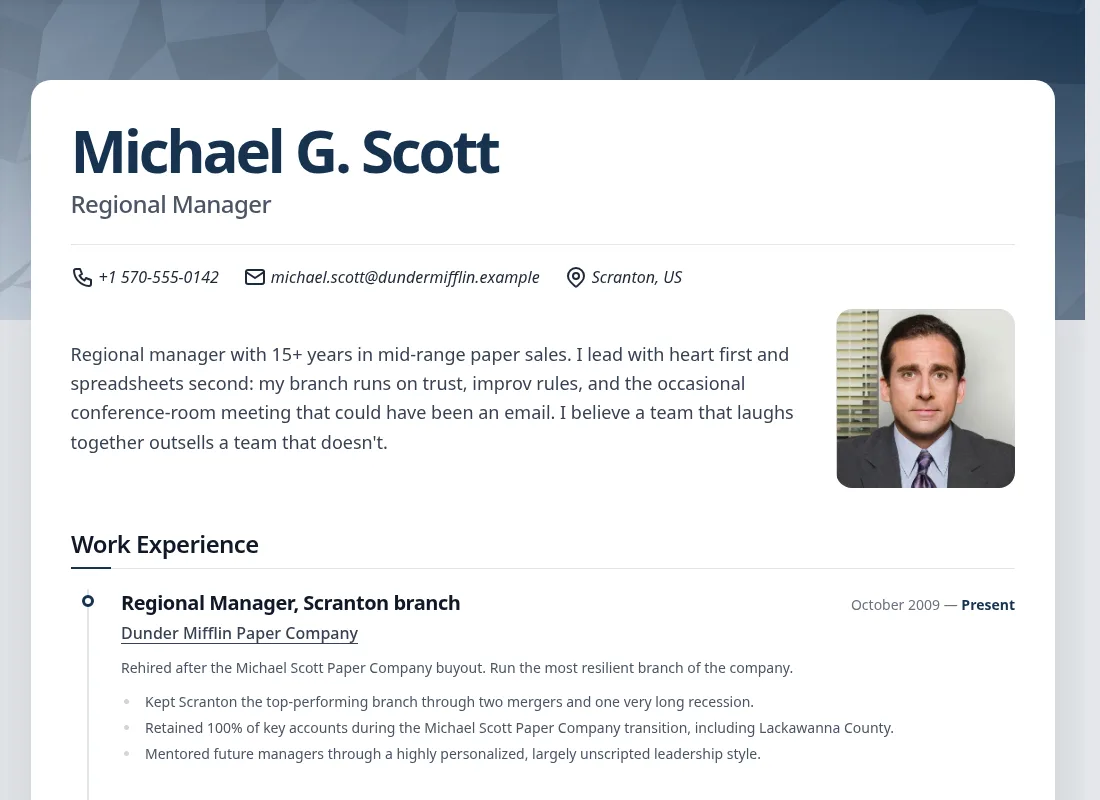
A JSON Resume theme that produces a resume that reads well on screen and prints cleanly.

To generate a resume from JSON Resume data, with a layout suited to the web and to PDF export.

resume.json
{  "basics": {    "name": "Michael G. Scott",    "label": "Regional Manager"  },  "work": [ … ]}

The real rendering of the published theme, with a fictional demo resume: open the full page.

Top of Michael Scott’s fictional resume: name, contacts, portrait and start of the work experience

Technical details

  • Responsive layout, optimized for PDF export.
  • SEO tags, OpenGraph and JSON-LD generated from the data.
  • The CSS only contains the Tailwind utilities of the rendered resume.

Firefox Chrome Look

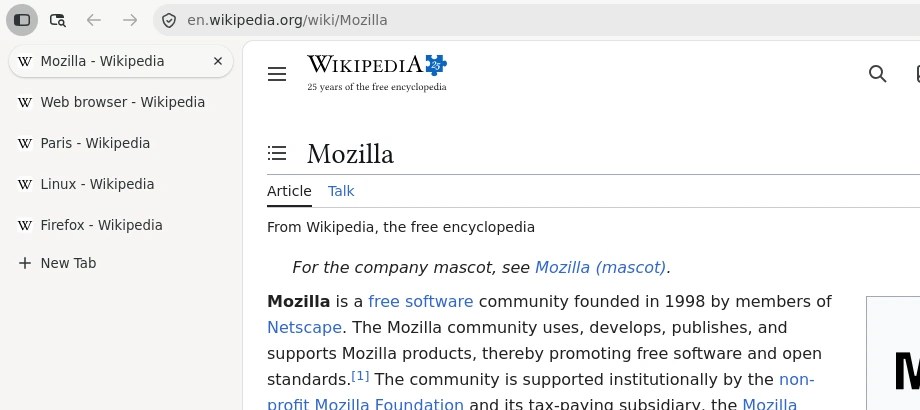
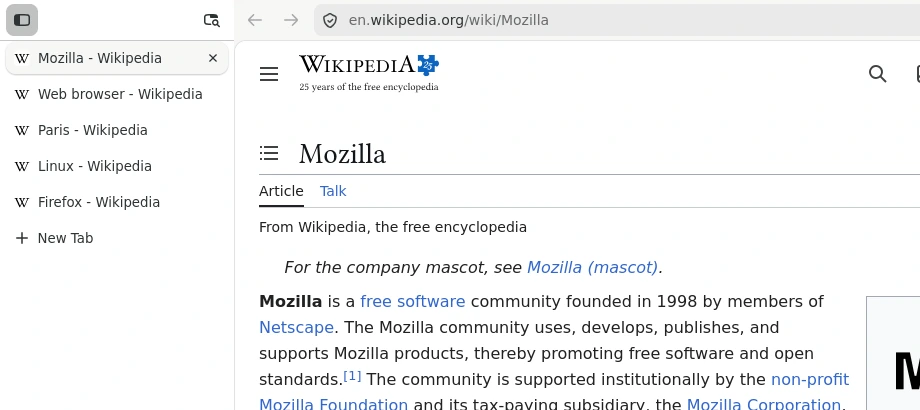
A CSS customization for Firefox: the native vertical tabs take the full height of the window, Chrome-style.

On my Firefox on Ubuntu, I wanted Chrome’s layout without imposed colors: the userChrome.css follows the active theme, and the install script detects the profiles for me.

Technical details

  • The tab panel goes up to the top of the window; the navigation bar only takes the remaining area.
  • No imposed colors: the active Firefox theme is followed, illustrated with the official Mozilla themes.
  • Interactive installer covered by bun test tests: it detects deb, snap and flatpak profiles.